
Your LinkedIn photo turns up everywhere: in search results, next to every comment, on job applications and in the inbox of anyone you message. People decide in a second whether you look like someone they want to work with. A great photo makes that second count.
I shoot LinkedIn and corporate headshots in Liverpool every week, and a solo LinkedIn session is the most common booking I take. Here is what makes the difference.
The short version
- Make it current. It should look like you now, not five years ago.
- Face fills the frame. Head and shoulders, not a full length holiday shot.
- Light it properly. Soft, even light beats a dark office every time.
- Keep the background simple. Plain or softly blurred, nothing distracting.
- Look approachable. A relaxed, natural expression wins.
1. Keep it current
If someone meets you for coffee and does not recognise you, the photo has done its job badly. Update it whenever your hair, glasses or look changes, or at least every couple of years.
2. Get the framing right
LinkedIn shows your photo as a small circle, so your face needs to fill most of it. Head and shoulders, centred, with a little space above your head. Group shots, sunglasses and wedding crops all make you harder to recognise.

3. Light makes everything
Most phone selfies fail because of the light: harsh overhead bulbs, a bright window behind you, or not enough light at all. Soft light from the front and slightly to the side flatters everyone. That is exactly what studio lighting gives you, and why a professional headshot looks so different.

4. Choose a simple background
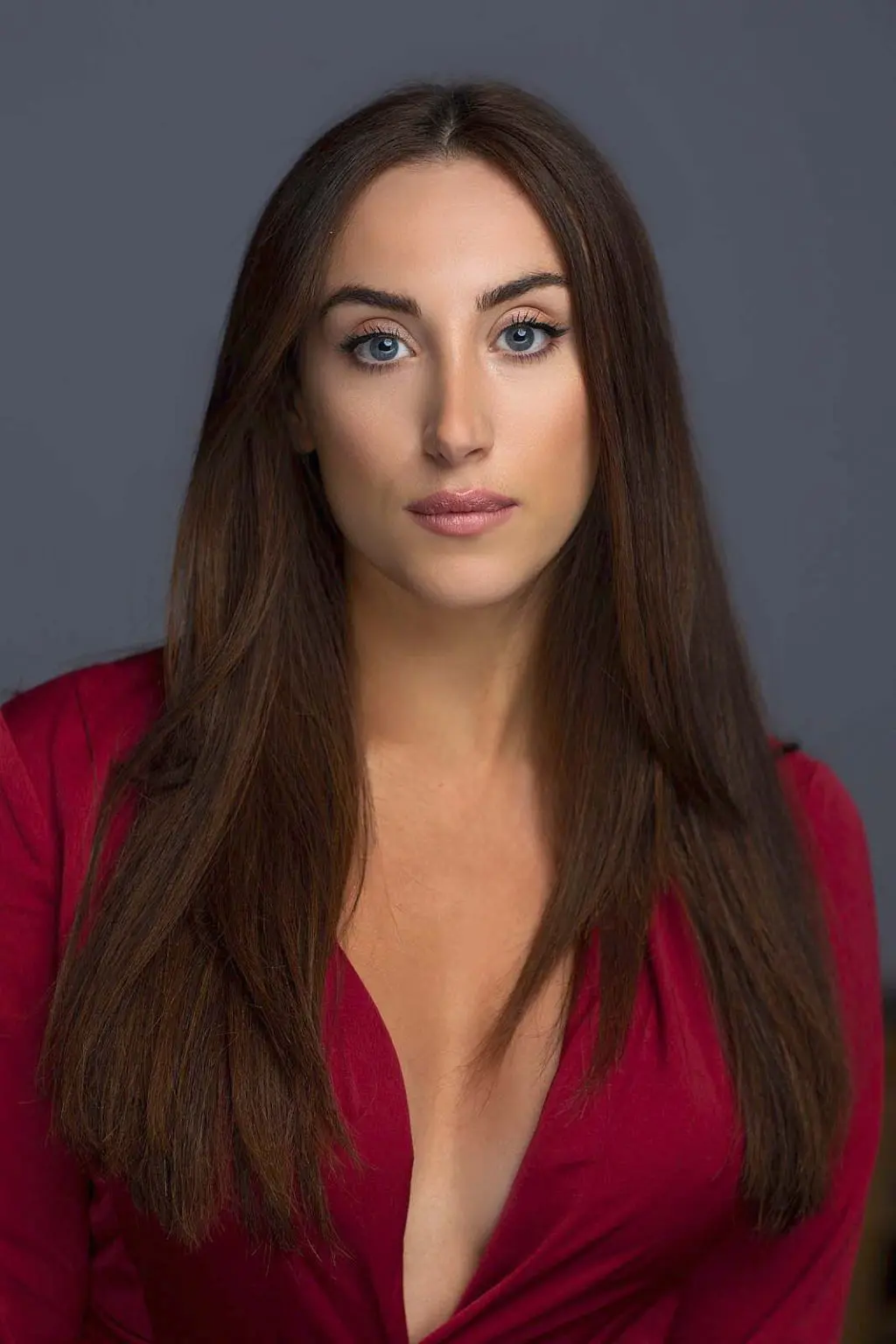
A plain studio backdrop, a softly blurred office or a clean outdoor setting all work. What matters is that nothing competes with your face. If your company has a colour, we can match the background so your photo sits nicely alongside your team.

5. The expression
You want to look friendly and capable. The easiest way there is not to hold a smile for the camera, but to relax, chat and let a natural expression happen. Directing that is my job, so you do not need to practise in the mirror.
6. Use it everywhere
Once you have a photo you like, use it on LinkedIn, your email signature, your website bio, speaker listings and conference programmes. The same image everywhere makes you instantly recognisable.
Your LinkedIn photo checklist
A great profile photo
- Taken in the last couple of years
- Head and shoulders, face filling the circle
- Soft, even light on your face
- Plain or softly blurred background
- Relaxed, natural expression
Avoid
- Group shots and crops
- Sunglasses and hats
- Busy backgrounds
- Heavy filters
Questions people ask
I only need one photo. Is it worth booking a session?
Yes. It is the single most common booking I take. You come away with a current, properly lit photo that works on your profile, in a bio and on a speaker listing, plus a few alternatives to choose from.
How quickly do I get my photos?
You get a private proofing gallery within 48 hours to pick your favourites, and the retouched finals usually follow within four to seven days. If you have a deadline, tell me when you book.
Can I use the photo on my company website too?
Yes. The files are delivered in sizes that work on LinkedIn, websites, email signatures and print.
More guides for headshots: What to wear for a corporate headshot and Team headshots at your office: how the day works.
Need new headshots?
Let’s get you a photo you actually like
Tell me whether it is just you or the whole team, and where you would like to shoot, and I will come back with availability and a clear quote.